What Does Error 523 Mean
Cloudflare Error 523 (also known as 523 Origin Error) occurs when Cloudflare establishes a TCP connection with your origin server but does not receive an HTTP response within 100 seconds.
The error is displayed as:
Error 523: Origin Error
The problem is always on your server's side, not in the Cloudflare network. Cloudflare is waiting for a response (e.g., headers) from your web server, but the timeout expires.
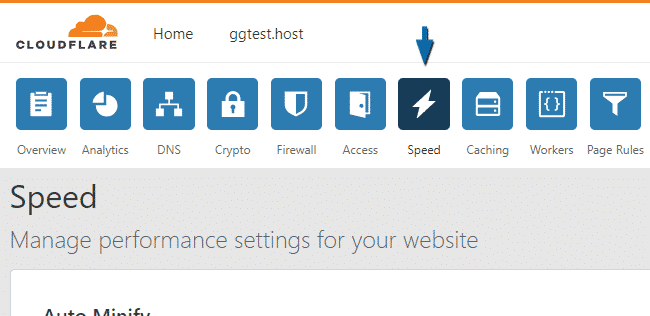
Cloudflare dashboard interface: Speed → Optimization section with Rocket Loader and Origin Error Page Threshold settings
Common Causes
- Web server crash or freeze. The Nginx or Apache service has crashed or is not processing requests due to insufficient resources (CPU, RAM).
- Long-running script execution. A PHP script or other application is performing a long operation (file processing, complex DB query) and exceeds time limits.
- Cloudflare IP blocking. A firewall (
iptables,csf) or security modules (fail2ban,ModSecurity) have mistakenly blocked Cloudflare IP addresses. The server cannot send a response. - Incorrect proxy configuration. The virtual host settings do not specify correct timeouts for
proxy_passor FastCGI/PHP-FPM. - Network interface issues. The server is overloaded with network connections, and the kernel is not processing packets from Cloudflare in time.
- Application error. A critical error in the code (e.g., an infinite loop) prevents the application from sending a response.
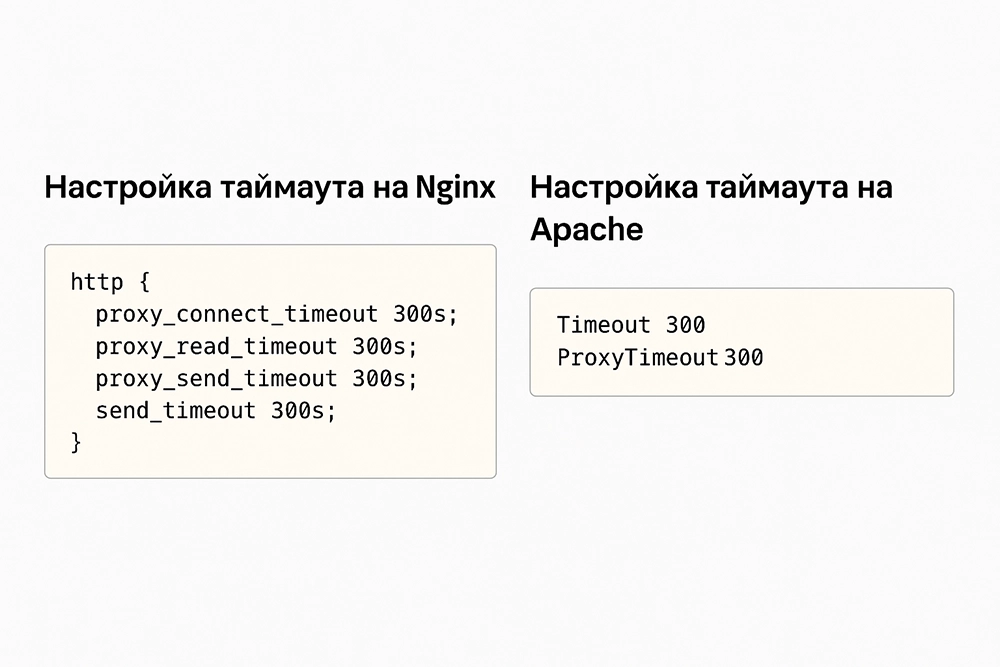
Fragments of Nginx and Apache configuration files showing proxy_read_timeout and Timeout parameters
Resolution Methods
Method 1: Diagnose Direct Server Access
First, rule out Cloudflare network issues.
- Find your origin server's IP address (in your hosting panel or via
ip a). - Connect to the server directly, bypassing Cloudflare:
- Temporarily change DNS records in Cloudflare to DNS only (gray clouds).
- Or add a record to the
hostsfile on your computer, pointing the domain to the server's IP.
- Check accessibility:
curl -I http://your-domain.ru - Result:
- Site loads — the issue is in Cloudflare settings or its interaction with the server.
- Site does not load — the problem is at the server level (web server/application).
Method 2: Configure Cloudflare Settings
If direct access works, adjust Cloudflare.
- Disable Rocket Loader in the Cloudflare panel → Speed → Optimization.
- Temporarily disable Argo Smart Routing if it is enabled.
- Increase timeouts:
- Go to Speed → Optimization.
- Find "Origin Error Page Threshold" and increase the value (e.g., to 300 seconds). This will reduce the frequency of the error page being shown.
- Do not change Cloudflare's main timeout — it is fixed at 100 seconds.
- Check if Development Mode is enabled. It disables caching but does not affect timeouts.
Method 3: Analyze Server and Application Logs
The most common cause is errors in the logs. Connect to the server via SSH.
- Check web server logs for timeouts.
- Nginx:
/var/log/nginx/error.log
Look for:sudo tail -f /var/log/nginx/error.log | grep -E "timeout|upstream"upstream timed out (110: Connection timed out).- Apache:
/var/log/apache2/error.log
sudo tail -f /var/log/apache2/error.log | grep -i timeout - Nginx:
- Check PHP-FPM logs (if using PHP):
Look for:sudo tail -f /var/log/php-fpm/error.log # or for php-fpm 7.4 sudo tail -f /var/log/php7.4-fpm.logMaximum execution time,Allowed memory size. - Check application logs (Laravel:
storage/logs/laravel.log, WordPress: via plugins or system logs).
Method 4: Configure Timeouts in the Web Server
Increase timeouts after identifying the problem (e.g., long DB queries).
For Nginx
location / {
    proxy_pass http://your_backend;
    proxy_connect_timeout 60s;
    proxy_send_timeout 60s;
    proxy_read_timeout 300s;  # Increase to 300 seconds
    proxy_buffering off;
}
Or for PHP-FPM:
fastcgi_read_timeout 300s;
fastcgi_send_timeout 300s;
Check the configuration (sudo nginx -t) and reload Nginx (sudo systemctl reload nginx).
For Apache
Timeout 300
ProxyTimeout 300  # If using mod_proxy
Method 5: Check Firewall and Security
Cloudflare uses IP ranges. If the firewall blocks them, the connection will be terminated.
- Get the current Cloudflare IP list: https://www.cloudflare.com/ips/
- Add rules to the firewall. Example for
iptables:sudo iptables -I INPUT -p tcp -s 173.245.48.0/20 --dport 80 -j ACCEPT sudo iptables -I INPUT -p tcp -s 173.245.48.0/20 --dport 443 -j ACCEPT # Repeat for all subnets from the Cloudflare list - Check
fail2ban: Ensure Cloudflare is not being banned. Check the jail configuration for your web server. - Check ModSecurity: Temporarily disable it for diagnosis:
SecRuleEngine Off
Prevention
- Monitoring. Set up external monitoring (UptimeRobot) and alerts for server downtime.
- Application optimization. Profile slow database queries (slow_query_log), cache heavy operations (Redis, Memcached).
- Proper PHP limits. In
php.ini:max_execution_time = 60 max_input_time = 60 memory_limit = 256M request_terminate_timeout = 120 - Regular updates. Keep your web server, PHP, and frameworks up to date.
- Load testing. Perform tests (
ab,wrk) after changes to ensure stability. - Cloudflare settings. Use "Cache Level: Standard" for dynamic sites. Enable "Brotli" for compression.
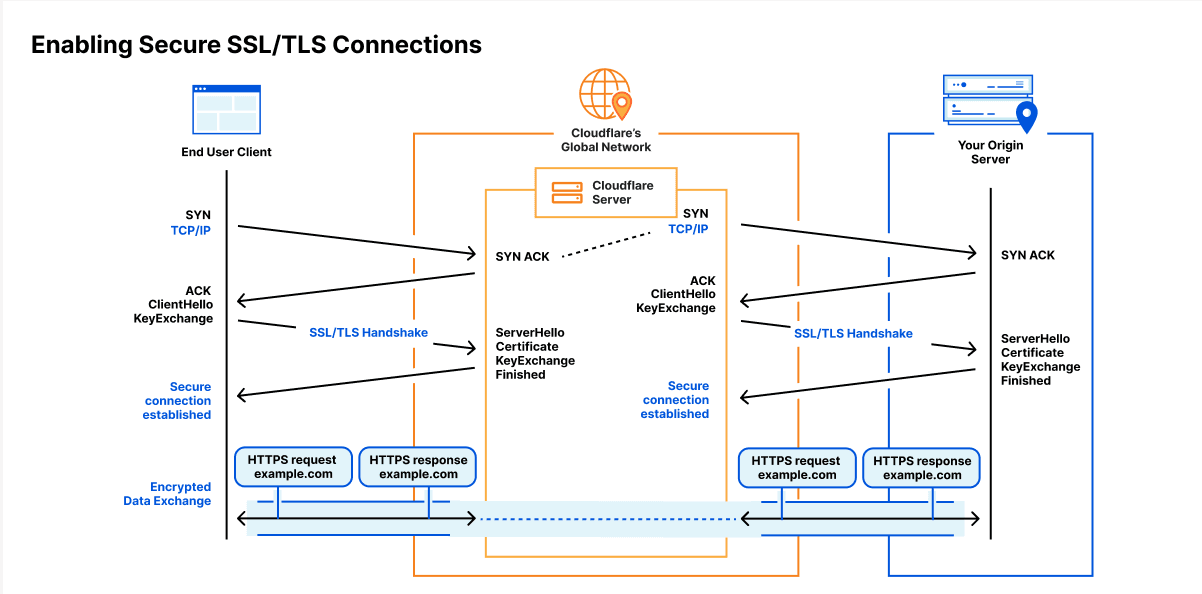
Diagram of the request flow from the user through Cloudflare to the origin server with the error 523 timeout point :::