What Error 526 Means
Cloudflare returns a 526 Invalid SSL Certificate error when it cannot validate the SSL certificate of your origin server (the server behind Cloudflare). This error occurs only when using the Full or Full (strict) SSL modes, where Cloudflare requires a valid certificate on the origin side.
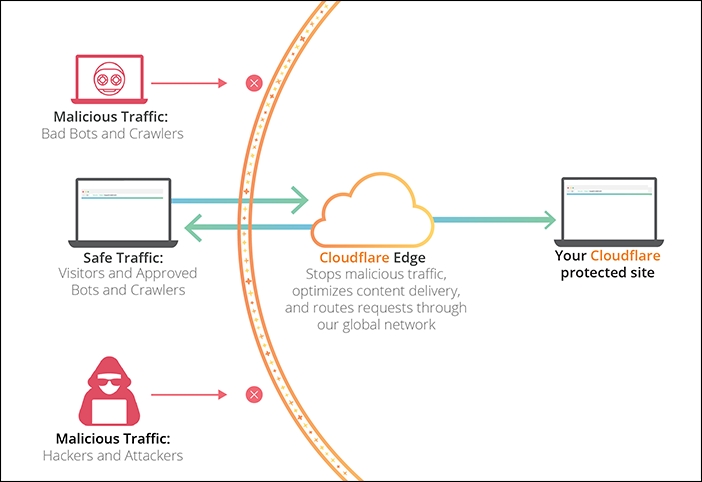
Diagram of Cloudflare and origin server interaction during SSL certificate validation
Common Causes
- An expired SSL certificate on the origin server.
- A self-signed certificate that is not trusted by Cloudflare.
- A certificate issued for a different domain or subdomain.
- Incorrect SSL configuration, such as missing intermediate certificates.
- No SSL certificate present on the origin server while using Full/Full (strict) modes.
- Use of outdated ciphers or protocols incompatible with Cloudflare.
Resolution Steps
Verify Your SSL Mode in Cloudflare
Ensure your Cloudflare dashboard (SSL/TLS → Overview) is set to Full or Full (strict). The Flexible mode does not trigger a 526 error because it does not validate the origin's SSL, but it is insecure.
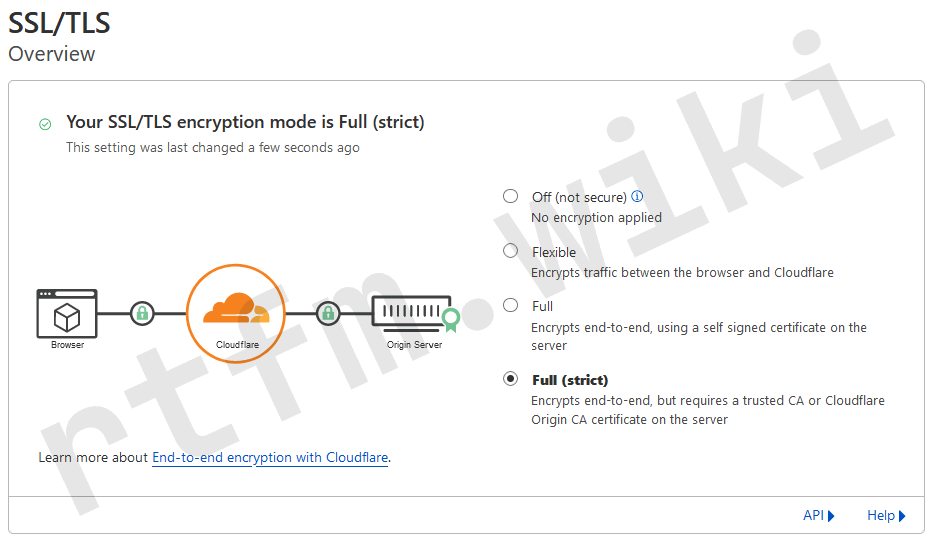
Cloudflare interface for selecting SSL mode: Full, Full (strict), Flexible
Diagnose the Origin Server's SSL Certificate
Connect to your server via SSH and run:
openssl s_client -connect your-server:443 -servername your-domain | openssl x509 -noout -dates -subject -issuer
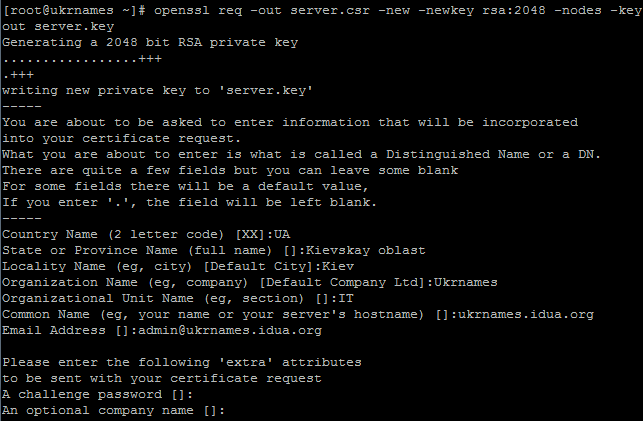
Terminal output of the openssl s_client command for checking an SSL certificate
Review the output:
- The
notBeforeandnotAfterdates should be valid. - The
subjectfield must contain your domain (e.g.,CN=example.com). - The
issuershould be a trusted authority (Let's Encrypt, DigiCert, etc.). - Intermediate certificates should be present in the output (the chain is complete).
If the certificate is invalid, proceed to install a new one.
Install a New SSL Certificate (Let's Encrypt)
For Nginx:
sudo apt update && sudo apt install certbot python3-certbot-nginx
sudo certbot --nginx -d your-domain
Follow the wizard's instructions. Test automatic renewal:
sudo certbot renew --dry-run
For Apache:
sudo apt update && sudo apt install certbot python3-certbot-apache
sudo certbot --apache -d your-domain
After installation, restart your web server:
sudo systemctl restart nginx   # for Nginx
sudo systemctl restart apache2 # for Apache
Temporary Switch to Flexible Mode (Not Recommended)
For quick access restoration, temporarily change your Cloudflare SSL mode to Flexible. This bypasses certificate validation, but the connection between Cloudflare and your server becomes unencrypted.
⚠️ Important: Flexible mode reduces security. Switch back to Full or Full (strict) immediately after fixing the certificate.
Check and Install Intermediate Certificates
If your certificate is valid but error 526 persists, the issue may be with the certificate chain.
- Obtain the full chain from your certificate authority (typically includes the root and intermediate certificates).
- For Nginx: In your SSL configuration, point to the file containing the full chain (e.g.,
fullchain.pemfrom Let's Encrypt):ssl_certificate /etc/letsencrypt/live/your-domain/fullchain.pem; ssl_certificate_key /etc/letsencrypt/live/your-domain/privkey.pem; - For Apache: Use
SSLCertificateFilefor your certificate andSSLCertificateChainFilefor intermediates (or combine them into a single file). - Restart your web server and verify the chain using the SSL Labs SSL Test.
Final Steps
After making any changes to your SSL configuration, purge your Cloudflare cache: go to Cache → Configuration in your dashboard and click 'Purge Everything'. This forces Cloudflare to re-validate your origin server's SSL certificate.
Prevention
- Regularly check certificate expiration dates (monthly). Use monitoring (Nagios, Zabbix) or online services.
- Configure automatic renewal for Let's Encrypt via certbot (it adds a cron job during installation).
- Always use Full (strict) mode in Cloudflare for maximum security.
- Check your certificate chain with SSL Labs quarterly.
- Keep your web server and OpenSSL libraries updated to support modern ciphers.
- Enable SSL problem notifications from Cloudflare (Dashboard: Notifications).