What is Cloudflare Error 521
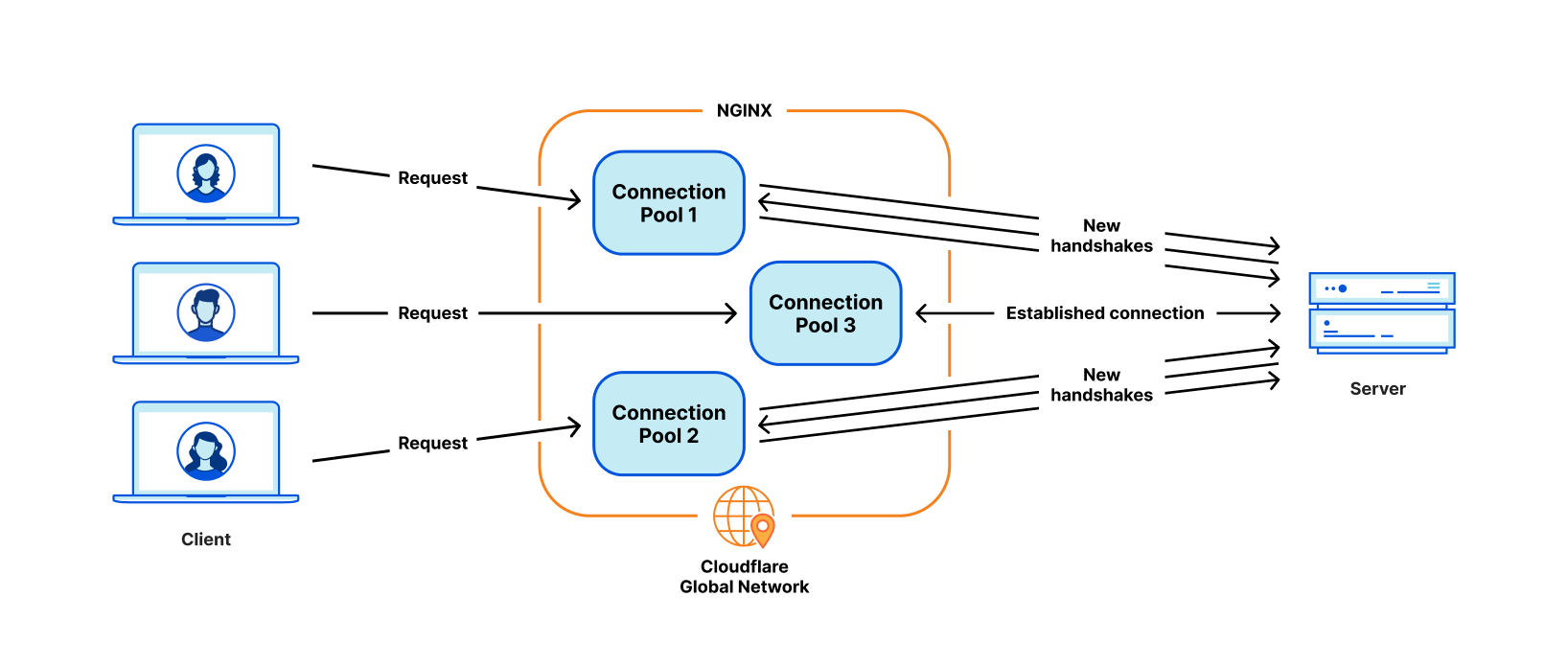
Cloudflare architecture with origin server
Error 521 is an HTTP status code returned by Cloudflare when it cannot establish a TCP connection with your origin server. The full error message is: "Error 521: Web server is down".
The issue occurs at the stage where Cloudflare attempts to proxy a user's request to your server but receives a connection refusal. Unlike errors 502–504, which are often related to timeouts or bad responses, error 521 indicates that Cloudflare cannot reach the server at all.
Main Causes of Error 521
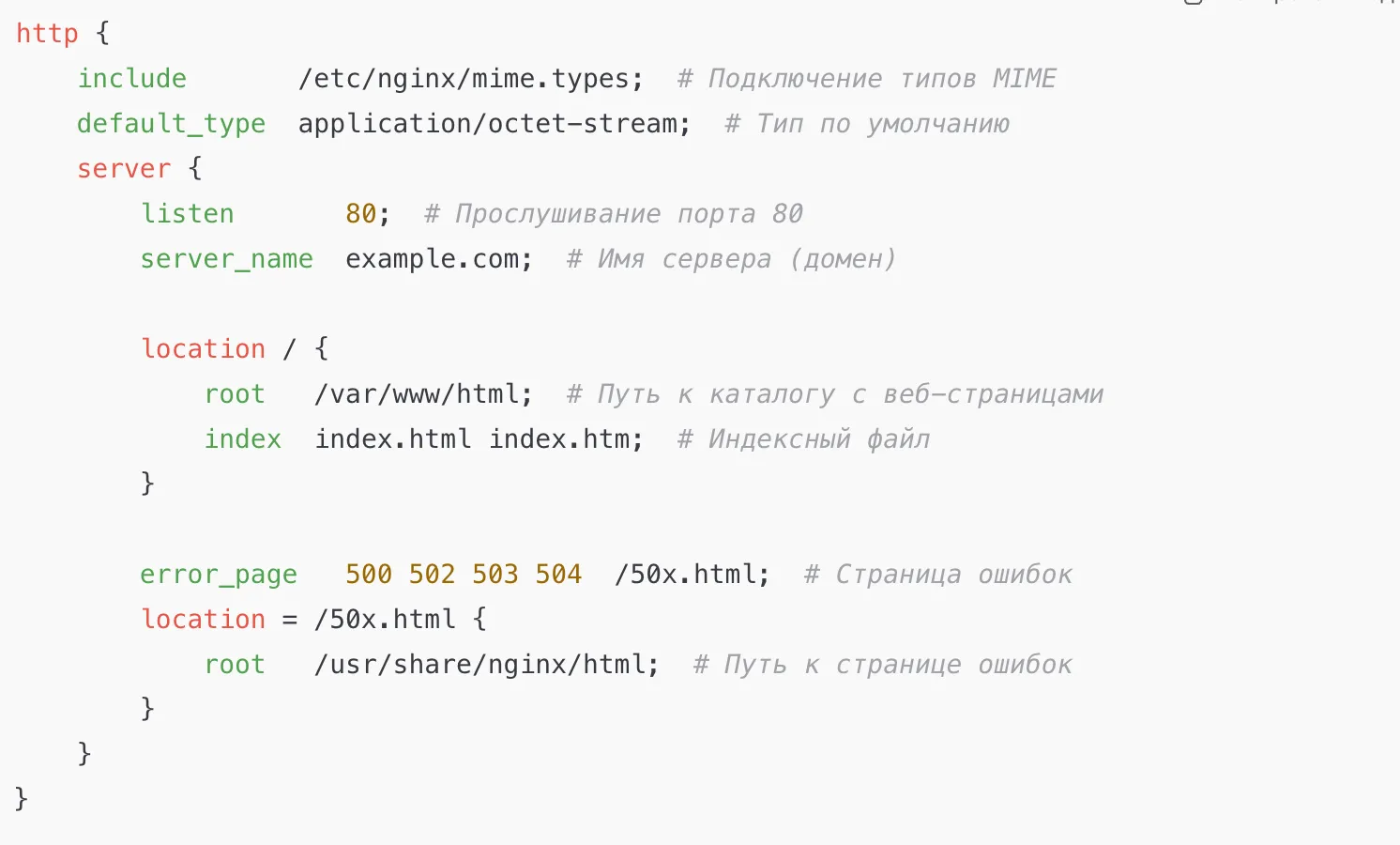
Configuring nginx to listen on all interfaces
- Web server is stopped — the nginx, Apache, or IIS service is not running.
- Server only listens on localhost (127.0.0.1) — the configuration specifies
listen 127.0.0.1:80instead of0.0.0.0:80. - Server runs on a non-standard port — for example, on 8080, while Cloudflare tries to connect to 80/443.
- Firewall blocks ports 80/443 — especially for Cloudflare IP addresses.
- Incorrect IP in Cloudflare DNS record — the domain points to a different server.
- SSL/TLS mismatch — for example, Cloudflare is set to
Fullmode, but the server lacks an SSL certificate. - Hosting provider blocks Cloudflare — on shared hosting, you may need to explicitly allow Cloudflare's IPs.
Step-by-Step Diagnosis and Resolution
Step 1: Check if the server is alive
First, rule out a Cloudflare-side issue. Determine your origin server's real IP address (from your hosting panel or via dig with Cloudflare proxy disabled). Then check port accessibility directly:
# Linux/macOS
curl -I http://YOUR_IP:80
curl -I https://YOUR_IP:443

# Windows PowerShell
Test-NetConnection -ComputerName YOUR_IP -Port 80
Test-NetConnection -ComputerName YOUR_IP -Port 443
If the connection fails (connection refused/timeout), the problem is on the server. If you receive an HTTP response (200 OK), the server is up, and the issue is likely a firewall or Cloudflare configuration.
Also check the service status:
# systemd (Linux)
systemctl status nginx
systemctl status apache2

# Windows
# Open services.msc and locate the web server service
Step 2: Configure the web server for external connections
If the server is running but only accessible via localhost, adjust the configuration.
Nginx (/etc/nginx/sites-available/your_site):
listen 80;
# or
listen 0.0.0.0:80;
Remove listen 127.0.0.1:80;. After changes, run nginx -t && systemctl reload nginx.
Apache (/etc/apache2/ports.conf or virtual host):
Listen 80
Or Listen 0.0.0.0:80. Test the config: apache2ctl configtest, then systemctl reload apache2.
IIS:
- IIS Manager → site → "Bindings".
- Ensure there is an
httpbinding on*:80(or0.0.0.0:80).
Step 3: Configure the firewall
Open ports 80 (HTTP) and 443 (HTTPS) for incoming connections.
Linux (firewalld):
firewall-cmd --permanent --add-service=http
firewall-cmd --permanent --add-service=https
firewall-cmd --reload
Linux (iptables):
iptables -A INPUT -p tcp --dport 80 -j ACCEPT
iptables -A INPUT -p tcp --dport 443 -j ACCEPT
# Save rules (e.g., iptables-save > /etc/iptables/rules.v4)
Windows:
- "Windows Defender Firewall" → "Create a rule".
- For ports 80 and 443 (TCP), allow connection for all profiles.
- For added security, include Cloudflare IP addresses in the rule. Current list: https://www.cloudflare.com/ips/.
Step 4: Verify Cloudflare settings
- DNS record: In the Cloudflare dashboard (DNS → Records), ensure the IP in the A/AAAA record exactly matches your server's IP.
- Proxy mode:
- Orange cloud — Cloudflare proxies traffic. Server must listen on ports 80/443.
- Grey cloud — traffic goes directly, Cloudflare is bypassed. Useful if server uses a non-standard port, but you lose Cloudflare features.
- SSL/TLS:
- If the server has no SSL certificate, select
Flexible. - If SSL is present, select
Full (strict). - Mismatched modes cause error 521.
- If the server has no SSL certificate, select
Step 5: If on shared hosting
Some hosts block all incoming connections except their own. Cloudflare's IPs might get blocked.
- Contact your hosting support.
- Explain you use Cloudflare and receive error 521.
- Request they add Cloudflare IP addresses to the firewall exceptions.
- Ask if special DNS servers are required.
How to Prevent Error 521
- Monitor server uptime using
curlor services like UptimeRobot. - Always configure the web server to bind to
0.0.0.0, not127.0.0.1. - When changing server IP, immediately update the DNS record in Cloudflare.
- Configure the firewall with Cloudflare in mind — allow their IP ranges.
- Choose the correct SSL/TLS mode in Cloudflare to match your server's configuration.
- Before connecting Cloudflare to shared hosting, confirm with your provider that Cloudflare is supported.
💡 Quick check: If the site works via direct IP access but not via the domain with Cloudflare — the issue lies in DNS settings, firewall rules, or SSL/TLS configuration in Cloudflare.